If you have admin access on your hub, JupyterHub gives you a dashboard listing everyone on it. From there you can restart a server that has got stuck, or open a student’s environment to see what they are seeing.
Reaching the dashboard
Add /hub/admin to your hub address:
https://<campus>.cloudbank.2i2c.cloud/hub/adminHub URL covers where to find your address.
If you are teaching and the dashboard does not load, you do not have admin access on your hub yet. Getting help covers how to ask for it.
The user list
The dashboard lists every account on the hub, showing whether it has admin rights, whether a server is running, and when the person was last active.
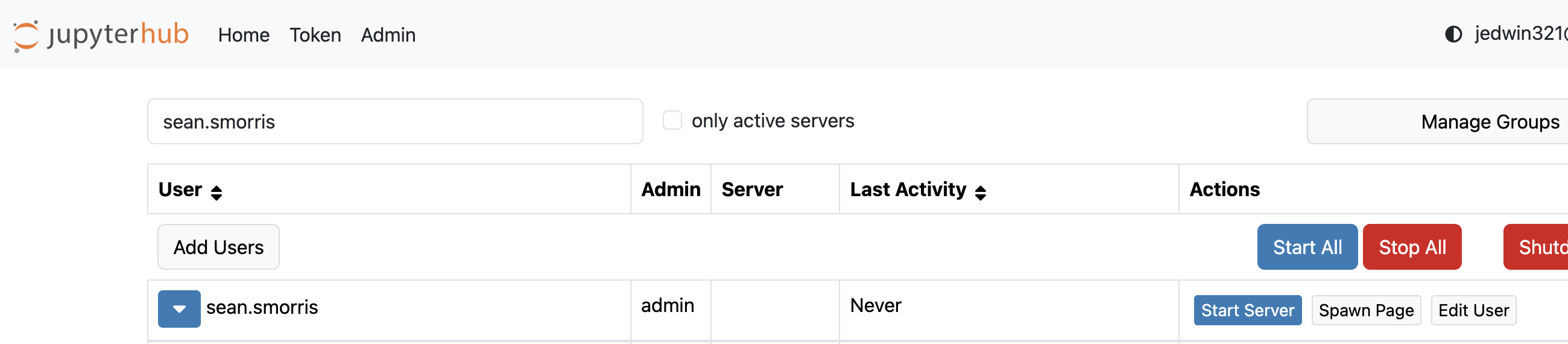
Searching narrows the list to one account, alongside the controls available for it.
Use the search box to narrow a long roster, and only active servers to see just the people working right now.
Usernames come from the first part of an institutional email address, so a student signing in as
jedwin321@berkeley.edu appears as jedwin321.
Starting and stopping servers
Start Server and Stop Server act on one person. Stopping a wedged session and starting it again clears most problems, and it leaves their files alone.
Opening a student’s server
Access Server puts you into that student’s environment as them. You see their files and their notebooks in the state they left them, so you can reproduce a problem instead of working from a description of it. This is the reason most instructors open the dashboard.
The button appears only while that student’s server is running. A row offering Start Server instead has nothing to open yet, so start the server first.
If something in the dashboard does not behave the way you expect, getting help covers where to ask.